
Operations
Sending Bulk SMSs
Sending bulk SMSs is a powerful way to communicate with your clients efficiently. This guide will walk you through the steps to send bulk SMSs.
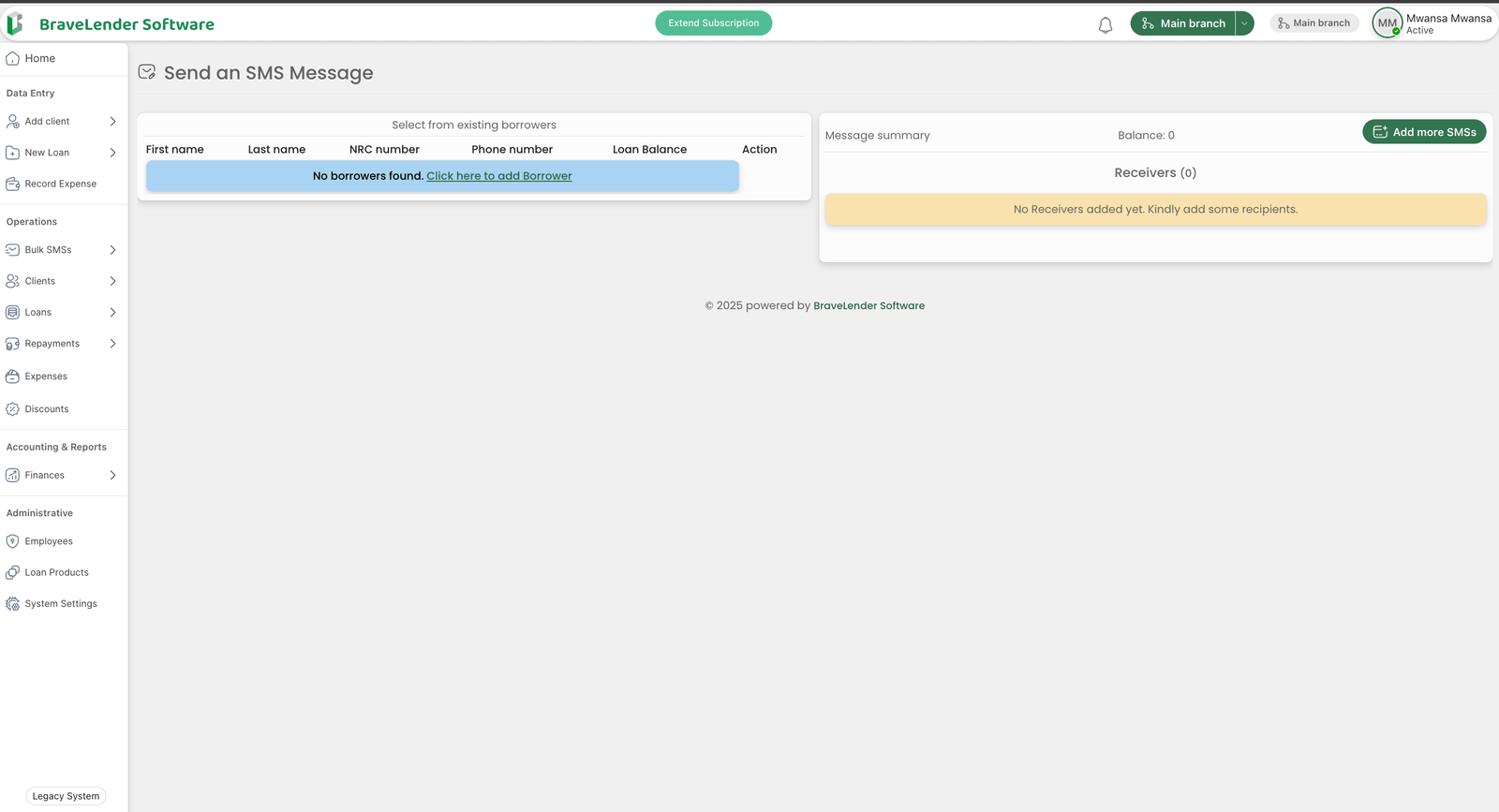
#Prerequisites
Before you can send bulk SMSs, ensure the following:
- Client Contacts: Ensure that the clients you want to message have valid phone numbers saved in the system.
- Permissions: You must have the necessary permissions to send SMSs. Contact your administrator if you encounter any issues.
#Steps to Send Bulk SMSs
Follow these steps to send bulk SMSs:
#1. Navigate to the Bulk SMS Page
- Go to the Operations section in the sidebar.
- Click on Bulk SMS.
#2. Select Recipients
- You can choose recipients based on the following criteria:
- All Clients: Send SMSs to all clients in the system.
- Specific Groups: Target specific client groups (e.g., individual clients, business clients).
- Custom Selection: Manually select clients from the list.
#3. Compose Your Message
- Enter the message you want to send in the Message field.
- Use placeholders to personalize the message. For example:
{name}: Inserts the client's name.{balance}: Inserts the client's outstanding balance.
Example:
Hello {name}, your current balance is {balance}. Please make a payment by the due date to avoid penalties.
#4. Preview the Message
- Click on the Preview button to see how the message will appear for each recipient.
- Ensure that the placeholders are replaced correctly with client-specific data.
#5. Send the SMS
- Once satisfied with the message, click Send SMS.
- Confirm the action in the pop-up dialog.
#6. Monitor Delivery Status
- After sending, you can monitor the delivery status of the SMSs in the SMS Logs section.
- The logs will show whether the messages were successfully delivered or if there were any errors.
#Best Practices
- Keep Messages Short: SMSs have a character limit (usually 160 characters). Ensure your message is concise.
- Avoid Spamming: Only send SMSs to clients who have opted in to receive messages.
- Test Before Sending: Send a test SMS to yourself to ensure the message is formatted correctly.
#Troubleshooting
If you encounter issues while sending bulk SMSs, consider the following:
- Invalid Phone Numbers: Check that the clients' phone numbers are valid and correctly formatted.
- Insufficient Credits: Verify that your SMS gateway account has enough credits to send the messages.
For further assistance, contact your system administrator or refer to the System Settings documentation.