
Administrative
Add New Employee
The BraveLender platform allows administrators to create and manage employee profiles. This guide will walk you through the steps to add a new employee to the system, including assigning roles and permissions.
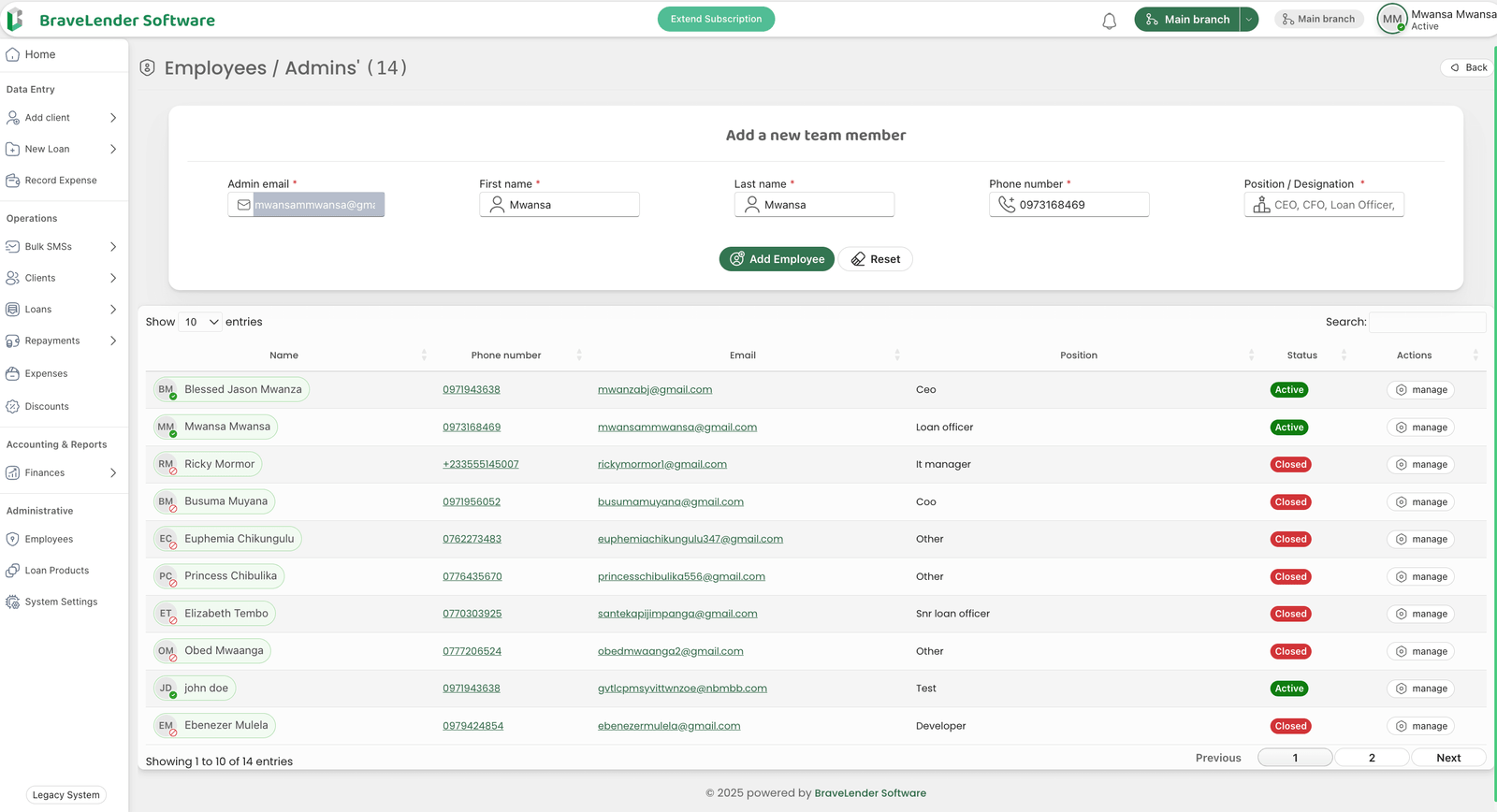
#Steps to Create an Employee
#Step 1: Access the Employee Management Section
- Log in to the system using your administrator credentials.
- Navigate to the Administrative section on the dashboard.
- Click on Employees.
#Step 2: Open the Add Employee Form
- On the Employees page, enter the employees admin email (i.e. the email they will use to access the system), click the Next button.
- This will open the team member creation form.
#Step 3: Enter Employee Details
- Fill in the required employee details, including:
- First Name: Enter the employee's first name.
- Last Name: Enter the employee's last name.
- Phone Number: Enter the employee's contact number.
- Position/Job Title: Specify the employee's role in the organization.
#Step 4: Assign Roles and Permissions
- Select the appropriate role for the employee from the Role dropdown menu (e.g., Administrator, Loan Officer, Accountant).
- Customize permissions if needed by selecting or deselecting specific access rights.
#Step 7: Review and Submit
- Review the entered details to ensure accuracy.
- Click the Add Employee button to create the employee profile.
#Step 8: Confirm Employee Creation
- A confirmation message will appear once the employee is successfully added.
- The new employee will now be listed on the table.
#Notes
- Ensure that the email address provided is unique and not already in use by another employee.
- Assign roles and permissions carefully to maintain system security.
- Encourage employees to update their passwords after their first login.
#Conclusion
By following these steps, you can efficiently create and manage employee profiles on the system. This ensures proper access control and streamlined administrative operations.