
Administrative
System Settings
The BraveLender allows administrators to configure system-wide settings, such as the branch name and currency. This guide will walk you through the steps to update these settings.
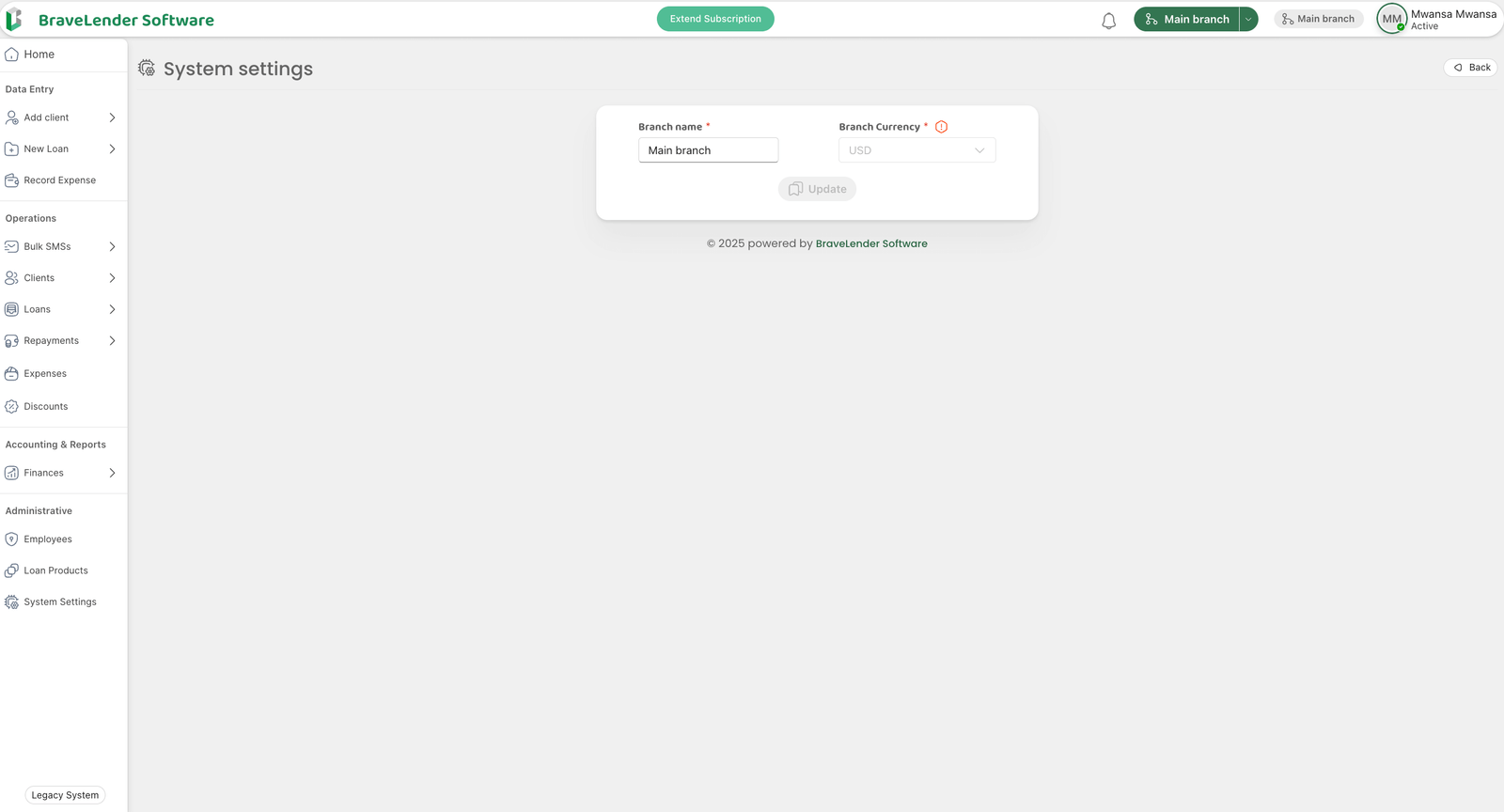
#Steps to Configure System Settings
#Step 1: Access the System Settings Page
- Log in to the system using your administrator credentials.
- Navigate to the Administrative section on the dashboard.
- Click on System Settings.
#Step 2: Update the Branch Name
- Locate the Branch Name field on the settings page.
- Enter the name of the branch (e.g., "Main Branch", "Downtown Branch").
#Step 3: Set the Currency
- Locate the Currency field on the settings page.
- Select the desired currency from the dropdown menu (e.g., USD, EUR, ZMW).
- Click the Save button to apply the changes.
#Step 4: Review Changes
- After saving, verify that the branch name and currency are updated correctly.
- These settings will now be reflected across the system, including reports, invoices, and other financial records.
#Notes
- Ensure that the branch name is unique and descriptive to avoid confusion.
- Select the correct currency to ensure accurate financial calculations and reporting.
- Only users with administrative privileges can update system settings.
#Conclusion
By following these steps, you can easily configure the branch name and currency in the system settings. This ensures that the platform is tailored to your organization's operational and financial requirements.